- Anomaly President press kit assets are currently available through official Steam and developer channels.
- Primary hero image: Use the official Steam header artwork for a clean article or media-page banner.
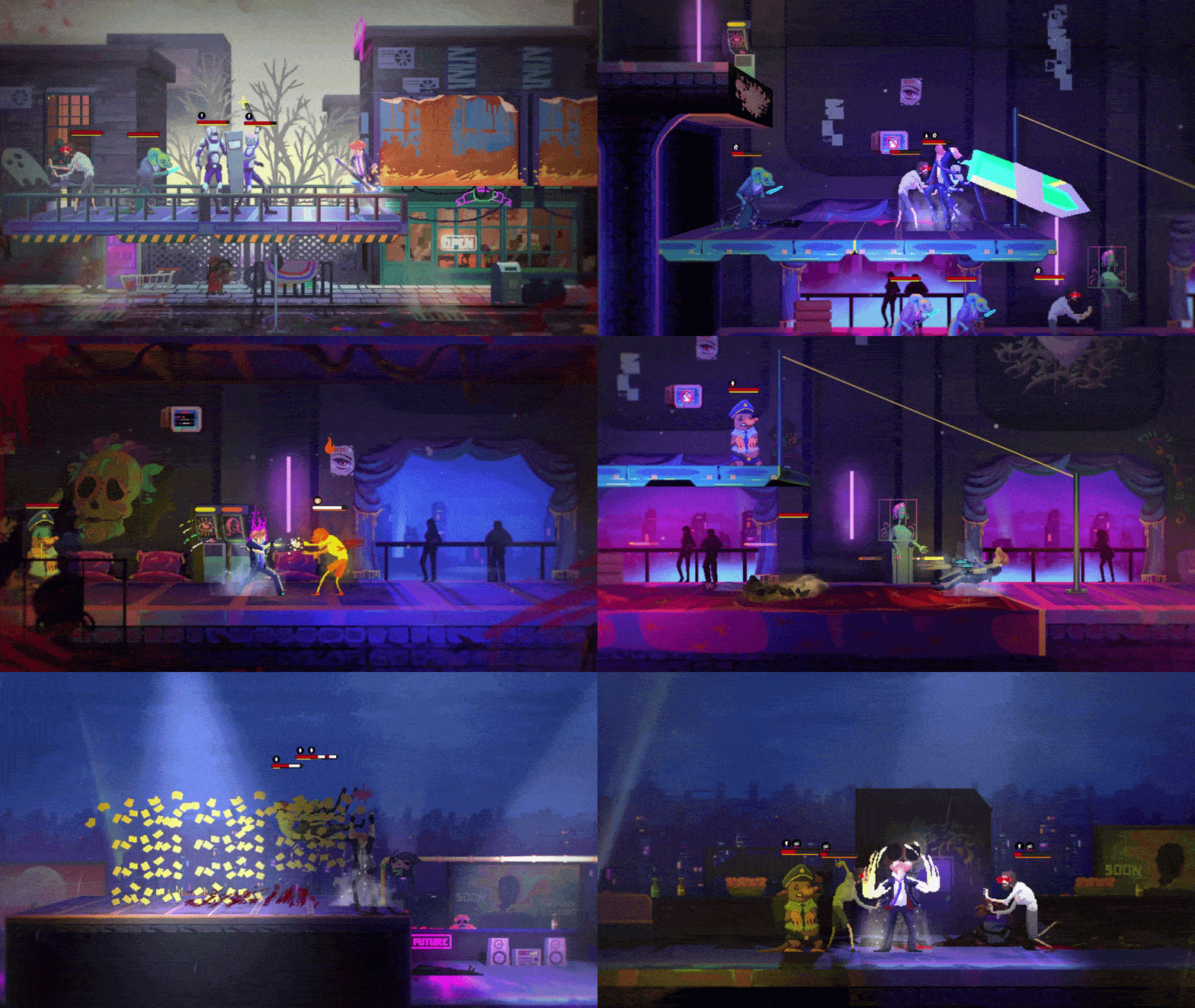
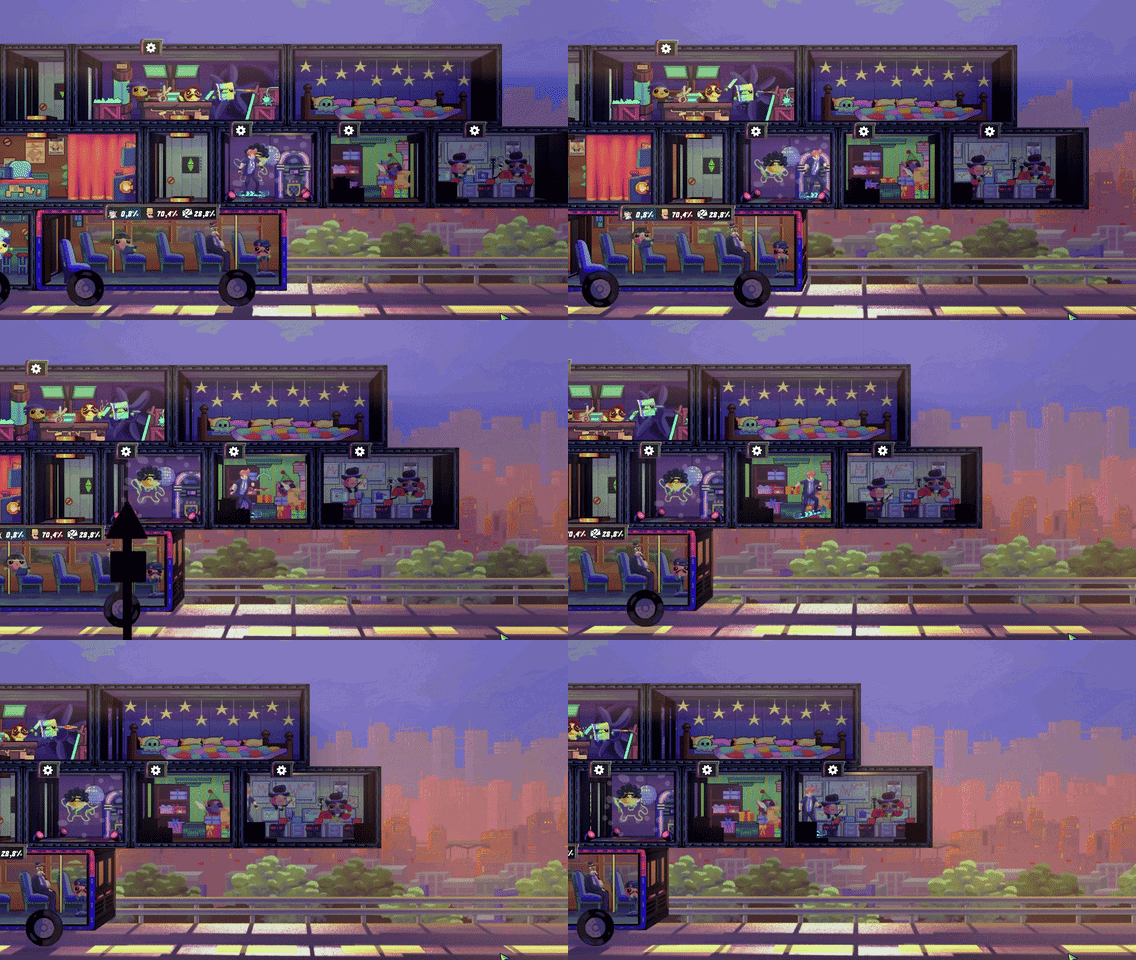
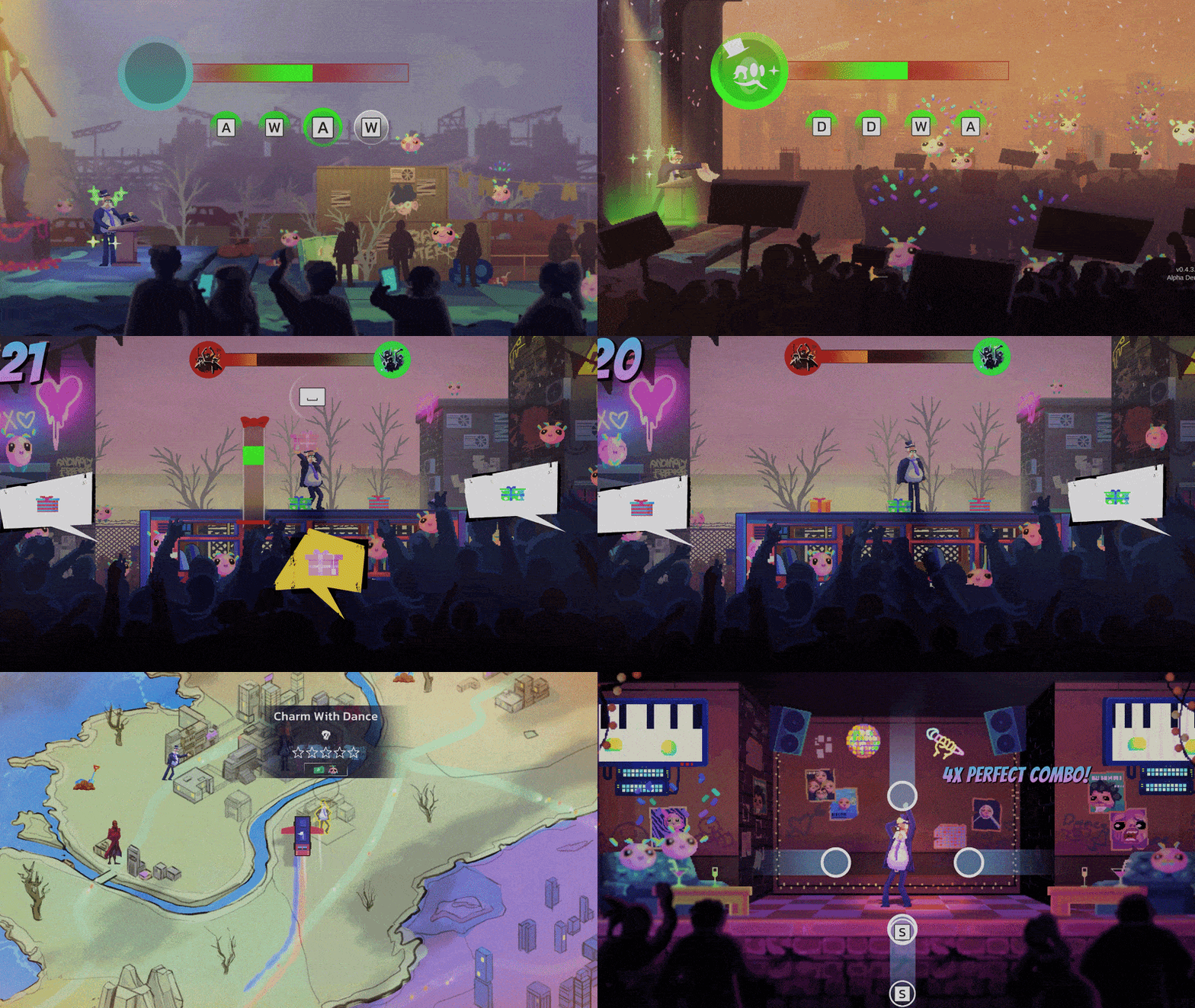
- Supporting media: Steam-hosted GIFs cover weapons, the campaign bus, and daytime campaign scenes.
- Official links: Direct readers to Phew Phew Games, Steam, YouTube, X, Instagram, and Steam Community.
- Availability note: A separate public press-kit download page has not been identified as of August 4, 2026.
Anomaly President Press Kit Availability
Anomaly President is a day-and-night presidential roguelike developed by Turkish independent studio Phew Phew Games. The game entered Steam Early Access on August 3, 2026, and its public promotional materials are currently distributed through the developer website, Steam store, official social channels, and Steam-hosted media assets.
For creators, this means the practical press kit is a curated collection rather than one consolidated ZIP download. The most useful resources include a logo header image, a yellow city background, gameplay GIFs, official trailers, and verified developer links.
Do not describe the current materials as a downloadable official press-kit package. Present them as official promotional assets hosted by Steam or linked through Phew Phew Games.
| Asset Type | Recommended Use | Official Location | Status |
|---|---|---|---|
| Header artwork | Article hero, wiki banner, social preview | Steam header asset | Available |
| City background | Background layer, landing page, feature panel | Steam background asset | Available |
| Weapons GIF | Combat feature, media preview, article animation | Steam Community GIF | Available |
| Campaign bus GIF | Base-building feature, campaign overview | Steam Community GIF | Available |
| Daytime campaign GIF | Election systems, daytime loop, feature cards | Steam Community GIF | Available |


The asset selection matches the game’s central identity: campaign planning during the day, criminal combat at night, Fluffy recruitment, anomaly powers, and campaign bus development. A media page should use these themes consistently instead of relying on generic political imagery.
Official Images and Media Assets
The strongest starting point is the official Steam header image because it already combines the game title with recognizable visual branding. It works well for a wiki article, press page, review card, or social preview. The yellow city background can support a wider layout, but it should be paired with readable dark text and sufficient contrast.
The three GIFs serve different editorial purposes. The weapons animation is suited to combat coverage, the campaign bus animation highlights the mobile-base system, and the daytime campaign animation communicates the election-management layer. Convert GIF files to WebP or MP4 when performance matters, while keeping the original source link attached to the asset record.
Hero Header
Use the official Steam header as the main visual for a press page, article cover, or wiki landing section. Keep the title unobstructed.
City Background
Use the yellow city scene as a supporting backdrop for release information, developer details, or Early Access announcements.
Weapons Animation
Feature this GIF beside combat coverage, weapon comparisons, anomaly powers, or boss-related editorial content.
Campaign Bus Animation
Use this asset when explaining the mobile headquarters, room layouts, recruitment, or campaign preparation.
Create one visual hierarchy: header image first, gameplay animation second, and supporting links last. This keeps the press page focused and easy to scan.
| Visual | Best Placement | Crop Guidance | Optimization |
|---|---|---|---|
| Steam header | Hero banner, article card | Preserve logo and central artwork | Keep JPG or export a WebP copy |
| City background | Full-width backdrop | Avoid placing text over bright focal areas | Compress before web use |
| Weapons GIF | Combat section | Use a landscape crop when possible | Convert to MP4 or WebP |
| Campaign bus GIF | Systems section | Keep the bus silhouette visible | Limit looping size |
| Daytime campaign GIF | Campaign section | Preserve the activity area | Use a short preview version |
When preparing resized versions, retain the original asset URL in your internal media notes. This makes later verification easier if Steam updates the asset timestamp or the developer publishes a dedicated press page.
Brand Links and Attribution Setup
A useful Anomaly President press kit page should make official discovery simple. The Phew Phew Games website is the primary developer destination. The Steam store page provides the product description, Early Access information, supported language details, and store media.
For community and announcement coverage, link to the Steam Community hub, the official YouTube channel, Phew Phew Games on X, and the official Instagram account. A permanent Discord invitation should be added only after a stable official link is confirmed.
Use descriptive anchor text such as “official Steam page” or “Phew Phew Games website.” Avoid presenting unverified community accounts as official channels.
| Channel | Primary Purpose | Recommended Anchor Text | Link |
|---|---|---|---|
| Developer website | Studio identity and announcements | Phew Phew Games website | Official website |
| Steam store | Product details and media | Official Steam page | Steam store |
| Steam Community | Discussions and guides | Steam Community hub | Community hub |
| YouTube | Trailers and gameplay promotion | Official YouTube channel | YouTube channel |
| X | Short announcements and updates | Phew Phew Games on X | Official X account |
| Visual posts and studio updates | Phew Phew Games on Instagram | Official Instagram |
A press page should also include a short attribution note. Keep it factual: identify Phew Phew Games as the developer, identify Steam as the hosting platform for selected assets, and explain that the page collects official promotional links for reference.
Step-by-Step Press Page Setup
Follow this workflow to build a clean media resource without implying that a formal downloadable kit exists.
Choose the Primary Hero
Start with the official Steam header artwork. Use it as the page’s featured image, and preserve the Anomaly President logo when resizing. Add descriptive alternative text that identifies the game and the promotional artwork.
Add Supporting Visuals
Select one or two supporting animations based on the page topic. Use the weapons GIF for combat coverage, the campaign bus GIF for headquarters content, or the daytime campaign GIF for election-system coverage.
Build the Official Link Block
Add the developer website, Steam store, Steam Community, YouTube, X, and Instagram links. Keep each label descriptive and separate official destinations from channels that still require verification.
Add a Release Context Note
State that Anomaly President entered Steam Early Access on August 3, 2026. Explain that the listed assets are official resources hosted by Steam or connected to Phew Phew Games.
Optimize and Verify
Compress large images, test GIF loading, check mobile crops, confirm every URL, and review the page whenever the developer publishes new media or update information.
Publish the page with verified assets first, then expand it when Phew Phew Games provides a dedicated press-kit archive, brand guide, logos, screenshots, or additional media terms.
| Setup Phase | Required Action | Completion Signal |
|---|---|---|
| Visual identity | Add the Steam header and consistent dark navy styling | Hero remains readable on desktop and mobile |
| Media selection | Choose topic-specific GIFs | Each animation supports a clear editorial purpose |
| Official links | Add verified developer and platform destinations | Readers can reach primary sources directly |
| Metadata | Set title, description, image, date, and author | Search and social previews display correctly |
| Maintenance | Review assets and links after announcements | Page reflects the latest verified materials |
Press Kit Checklist and Usage Notes
A reliable media page should distinguish confirmed assets from editorial additions. Do not invent logo files, licensing terms, image dimensions, downloadable archives, or partnership contacts. If a journalist or creator needs permissions beyond normal linking and commentary, direct the request to Phew Phew Games through an official channel.
Press Page Essentials:
- Use the official Steam header as the primary hero image
- Add one relevant gameplay GIF with descriptive alt text
- Link the Phew Phew Games website and official Steam page
- Include the August 3, 2026 Early Access release context
- Label the collection as official promotional assets, not a downloadable press archive
Good presentation practices include:
- Keep the dark navy, electric yellow, black, and crimson visual palette aligned with the game’s branding.
- Avoid real-world political symbols, national flags, or unrelated presidential imagery.
- Do not crop the logo out of the main header image.
- Use captions to explain whether an image represents campaigning, combat, the campaign bus, or anomaly powers.
- Store optimized copies separately from the original URLs so the source remains easy to verify.
- Update the page when official channels publish new trailers, screenshots, or Early Access announcements.
The game supports 12 interface and subtitle languages according to its Steam listing. For a multilingual wiki, retain “Anomaly President” as the official title and translate only the surrounding labels, descriptions, and navigation text.
Anomaly President Press Kit FAQ
Q: Is there a standalone Anomaly President press kit download?
A separate public press-kit download page has not been identified as of August 4, 2026. The practical official collection currently uses Steam-hosted images and GIFs alongside Phew Phew Games channels.
Q: Which image should be used as the main press-page banner?
The official Steam header artwork is the strongest primary choice because it includes the game’s logo and recognizable visual identity. Preserve the central branding when resizing.
Q: Where can creators find official Anomaly President links?
Use the Phew Phew Games website, official Steam store page, Steam Community hub, YouTube channel, X account, and Instagram account. Add Discord only after a stable official invitation is confirmed.
Q: Can the GIF assets be converted for web publishing?
Yes. Converting the GIFs to WebP or MP4 can improve loading performance, especially on mobile. Keep the original Steam-hosted URL in your asset notes for verification.
Treat this page as a verified asset directory for Anomaly President. Keep claims precise, link to official destinations, and expand the collection only when new developer materials are published.